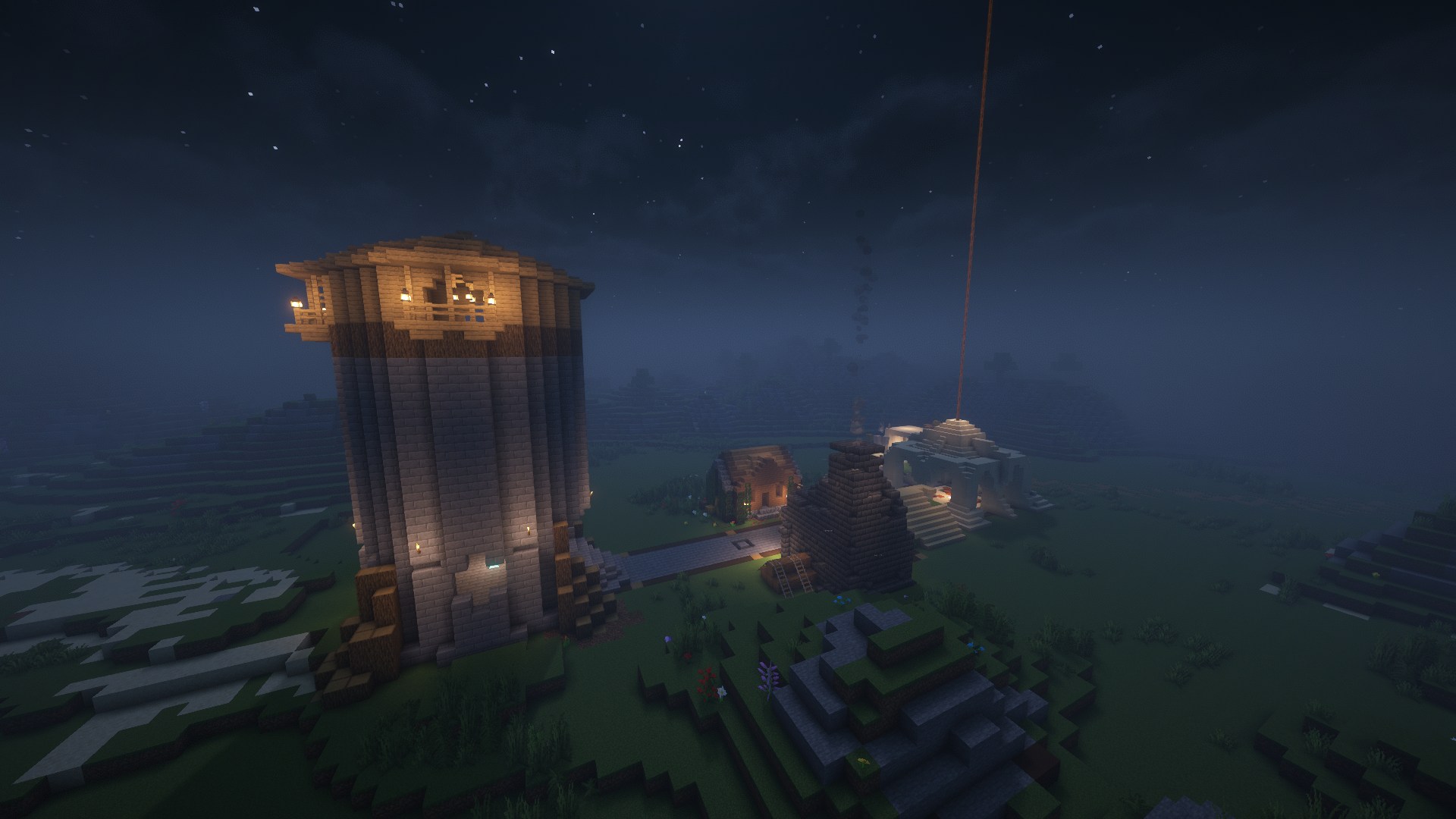
Banablock Minecraft Server
Minecraft 1.21.10 (Java & Bedrock)

Banablock Minecraft Server

1:500 Earth Towny Server with mcMMO

Experience Minecraft like never before on our Earth map server. Play from Java or Bedrock Edition with full cross-play support. Build your town, form nations, level up RPG skills, and engage in epic territorial warfare with SiegeWar.

mc.banablock.net
Version
1.21.10
Game Mode
Towny Survival
Map Scale
1:500 Earth
Difficulty
Normal

Server Features

Our Minecraft server is packed with features to enhance your gameplay experience

1:500 Earth Map

Explore a detailed Earth map at 1:500 scale with real-world geography

Towny Gameplay

Build your own town, form nations, and engage in territorial warfare

mcMMO RPG

Level up skills like mining, woodcutting, and combat for unique abilities

Quality Plugins

Economy system with /shop, TPA teleportation, player Homes, and SiegeWar

What Makes Us Special

🌍 Realistic Earth Map

Our server features a meticulously crafted 1:500 scale Earth map, allowing you to build your town in real-world locations. Claim land in your favorite country, recreate historical cities, or forge entirely new civilizations.

Perfect for players who want to combine geography with creative building and strategic gameplay.

🏛️ Towny & Nations

Create your own town, invite friends, and expand your territory endlessly! We've lowered the prices to create towns and nations, making it more accessible for everyone. Form alliances with other towns to create powerful nations. Manage taxes, set permissions, and protect your land from invaders.

  • Affordable Pricing: Reduced costs for town/nation creation and chunk claims
  • Chunk Upkeep: Only $300 per chunk - easily covered by selling resources
  • Endless Expansion: No limits on how large your town can grow

Go ahead and conquer Europe! Build diplomatic relationships or wage war - the choice is yours.

⚔️ mcMMO RPG System

Level up your skills through gameplay! Mine more efficiently, deal extra damage in combat, or become a master woodcutter. Each skill unlocks unique abilities and bonuses as you progress.

Skills include Mining, Woodcutting, Excavation, Herbalism, Fishing, Combat, Archery, Swords, Axes, and more.

💰 Economy & Shop System

Make money by selling resources and spend it on upgrades, decorations, and equipment!

Selling Resources

Sell all kinds of blocks you mine from the world or craft. Multiple commands available:

  • /sell - Sell items in your hand
  • /sellall - Sell all sellable items in inventory
  • /sellgui - Open GUI to select items to sell

Server Shop (/shop)

Buy items you need with your earned money:

  • Decorative Blocks: Beautify your town with unique blocks
  • Redstone: All your technical needs
  • Weapons & Armor: Gear up for battles

⚡ Quality of Life Features

We've added essential plugins to make your experience smooth and enjoyable:

  • Cross-Play: Full Bedrock Edition support via Floodgate - play from any device
  • ViaVersion: Join from any Minecraft version 1.21.2+
  • TPA: Teleport to friends with /tpa commands
  • Homes: Set multiple home locations with /sethome
  • SiegeWar: Engage in strategic territorial warfare

How to Join

Java Edition

  1. 1

    Launch Minecraft Java Edition

    Make sure you're running version 1.21.2 or higher

  2. 2

    Go to Multiplayer

    Click "Multiplayer" from the main menu, then "Add Server"

  3. 3

    Enter Server Address

    Server IP: mc.banablock.net

  4. 4

    Join & Play!

    Connect to the server and start your adventure

Bedrock Edition (Cross-Play via Floodgate)

💻 Windows 10/11

  1. 1. Open Minecraft Bedrock Edition
  2. 2. Go to "Play" → "Servers" tab
  3. 3. Scroll down and click "Add Server"
  4. 4. Enter server details:
    • • Server Name: Banablock
    • • Server Address: mc.banablock.net
    • • Port: 19132
  5. 5. Click "Save" and join the server!

📱 Mobile (iOS/Android)

  1. 1. Open Minecraft
  2. 2. Tap "Play" → "Servers" tab
  3. 3. Scroll to the bottom and tap "Add Server"
  4. 4. Enter server details:
    • • Server Name: Banablock
    • • Server Address: mc.banablock.net
    • • Port: 19132
  5. 5. Tap "Save" and join!

🎮 Console (Xbox/PlayStation/Nintendo Switch)

Consoles require a workaround to add custom servers. Use one of these methods:

Method 1: BedrockConnect
  1. 1. Visit BedrockConnect for detailed instructions
  2. 2. Follow the DNS setup guide for your console
  3. 3. Join the featured server, then enter our IP: mc.banablock.net
Method 2: Phantom App (Easier)
  1. 1. Download the Phantom app on your phone/computer
  2. 2. Enter our server IP and follow the app's instructions
  3. 3. The server will appear in your Friends list on console

⚠️ Advanced Option: Changing your console's DNS settings is also possible but should be used as a last resort. This method is faster but requires more technical knowledge.

Ready to Start Your Journey?

Join hundreds of players building nations, leveling up skills, and conquering territories on our Earth map server.